

What AI tools really cost a business in 2026 – and how to cut the hidden costs
ChatGPT Business costs $20–25 per user a month. We compare it with Claude Team and Cursor – in euros, with VAT, FX and what 50 to 500 people spend.



ChatGPT billing and Claude billing for businesses follow the same rules: only the workspace owner or admin sees the invoices, your company name and VAT ID must be added before the first payment, and self-serve team plans are paid by card, mostly in US dollars. Here is where each invoice sits.
Key takeaways
| ChatGPT Business | Claude Team | Cursor Teams | |
|---|---|---|---|
| Who sees billing and invoices | Workspace owners | Organisation owners | Team admins |
| Where to find invoices | Workspace settings › Billing (or Admin Console › Billing) | Organisation settings › Billing › Invoices | grok.com › Billing (The X Subscription); older plans: cursor.com › Billing |
| Where to add VAT ID and address | At checkout, or Workspace settings › Billing › Settings › Edit | At sign-up, or Billing › Update (next to the payment method) | Billing portal, by team admins |
| Change past invoices? | No – future invoices only | No – future invoices only | No – future invoices only |
| How self-serve plans are paid | Credit or debit card | Credit, debit or prepaid card | Card |
| Invoicing and bank transfer | Only with a contracted plan such as ChatGPT Enterprise | Only with a sales-assisted Enterprise plan | Not offered on self-serve plans |
| Adding seats mid-cycle | Charged straight away, prorated | Charged straight away, prorated | Prorated, billed per active paid seat |
Based on the providers’ help centres, checked on 17 November 2026. Menus and conditions can change.
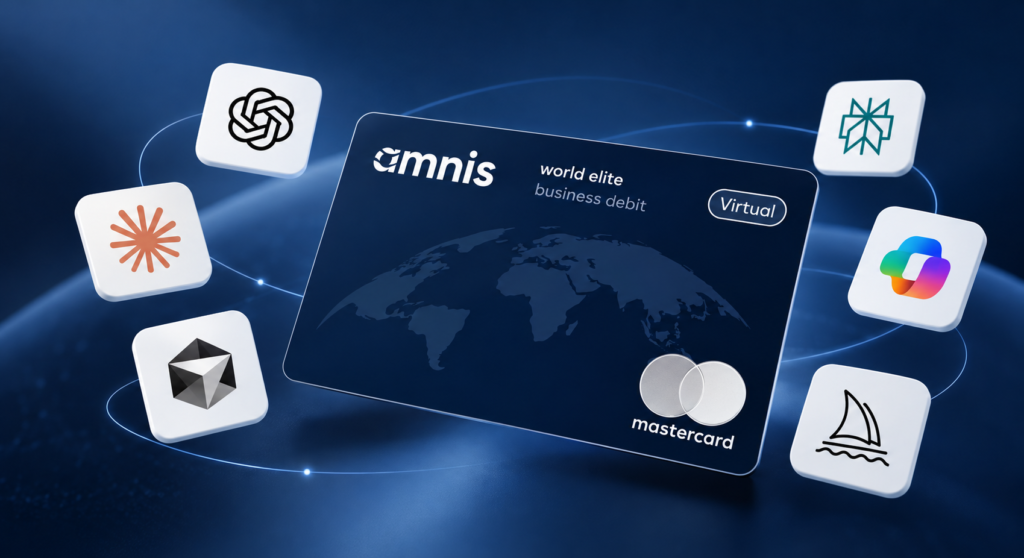
Most AI tools bill in US dollars – the amnis Subscription Card puts every AI tool on one virtual card, with no amnis FX markup on USD payments.
ChatGPT billing for a company runs through the workspace, not individual accounts. Only workspace owners can see the Billing tab. Can’t see it? Ask an owner to add you.
Self-serve ChatGPT Business is paid by credit or debit card. Invoice billing, bank transfer, purchase orders and net terms are only available on contracted plans such as ChatGPT Enterprise, and support can’t switch an existing self-serve workspace to invoice billing.
Two seat rules shape your ChatGPT billing: you pay for every seat at the start of each cycle, assigned or not, and removing a member only reduces paid seats once the owner schedules a reduction for the next cycle. Seat prices are in our guide to what AI tools really cost a business.
OpenAI says changes to billing information or tax ID apply to future invoices only. For an invoice already issued, contact OpenAI support with the invoice number.
OpenAI billing for the API is separate: prepaid credits or automatic card charges, with invoices under Billing history at platform.openai.com.
Claude billing works the same way. Only an organisation owner can open and download invoices, which are also emailed to the billing address with the subject “Your receipt from Anthropic”.
No. Anthropic accepts credit, debit and prepaid cards for the Team plan, not bank transfers. It charges at the start of each cycle; new members are prorated straight away, and removing members brings no refund. Paying by invoice and bank transfer is only possible with a sales-assisted Enterprise plan.
On Cursor, only team admins can open billing and invoices. Newer plans run on The X Subscription, where the plan, payment method, invoices and prepaid credit sit at grok.com/dashboard/billing; the cursor.com dashboard now only covers older plans. Company name, address and tax details apply to future invoices only. Cursor bills per active paid seat, prorated, and usage beyond the seats comes out of prepaid credit.
Not on the invoice, as long as your VAT ID is on file. ChatGPT, Claude and Cursor list business prices without VAT, and an EU business with a VAT ID usually accounts for it under the reverse-charge mechanism. Without the VAT ID, VAT is added – and past invoices aren’t changed. This is general information, not tax advice.
Below Enterprise level, AI tools are a card expense. Which card you use affects cost, control and month-end:
Most AI tools bill in US dollars; the vendor sets the currency, and ChatGPT can charge in EUR in Europe. Paid with a euro card, every USD renewal is converted, and many cards add an FX markup or foreign transaction fee on top. Paying from a USD balance in a multi-currency account, or with a card that adds nothing on top of the exchange rate, avoids it. The amnis Subscription Card adds no amnis FX markup on USD payments.
Shadow AI – tools people sign up for without finance knowing – usually shows up in the books first. And it is common: ChatGPT is now the most expensed software app in companies, according to Zylo’s 2026 SaaS Management Index. A quick audit in five steps:
Once every AI tool runs on one amnis Subscription Card, the next audit is a filter, not a search: you see each renewal in real time, set a spending limit for the card and keep card governance in one place. More on keeping the list current in our article on subscription management.
Each AI subscription leaves a card transaction and an invoice to match. Set one finance inbox as the billing email in every tool, tag spend by cost centre and spread annual plans over the months they cover.
AI subscriptions are small, frequent and often billed in US dollars – the amnis Subscription Card is built for exactly that.
The amnis Subscription Card is a virtual Mastercard World Elite Business Debit card for businesses with an amnis account in the European Economic Area. Read how it works in our release article or see all details of the amnis Subscription Card.
The cashback programme is governed by the Benefits Addendum to the card terms; exclusions apply. This card is issued by AMNIS Europe AG pursuant to license by Mastercard International Incorporated.
One virtual business card for all your team’s AI subscriptions – with up to 1% back on qualifying AI spend (cashback up to €10,000 a year).
Enter the VAT ID at checkout and identify as a business – in VAT regions, that exempts the purchase from VAT. Later, a workspace owner can update it under Workspace settings › Billing › Settings › Edit. Changes apply to future invoices only.
Sources: OpenAI – Tax ID and VAT ID; OpenAI – Managing billing and seats in ChatGPT Business; OpenAI – API billing; Claude – Team plan invoices; Claude – Team plan billing FAQs; Claude – Tax or VAT ID; Claude – Billing address and tax; Cursor – Invoices; Cursor – Billing; Claude – Enterprise billing. Checked on 17 November 2026.